
{"time":1779178478016,"blocks":[{"id":"jIo5gJfe-U","type":"header","data":{"text":"<b>Quotes library</b>","level":2}}],"version":"2.26.5"}
{"time":1779178478015,"blocks":[{"id":"2D-XzMMPcG","type":"image","data":{"file":{"url":"https://d34zu6t0zlvykw.cloudfront.net/post/quotes-library.jpg"},"caption":"","withBorder":false,"stretched":false,"withBackground":false}},{"id":"nJiWiGcxzu","type":"paragraph","data":{"text":"Quotes used to live in the shadows, attached to insights, invisible everywhere else. "}},{"id":"di4j-MTyqh","type":"paragraph","data":{"text":" Quotes library changes that: every quote in your workspace, in one place,
What's new
Quotes library
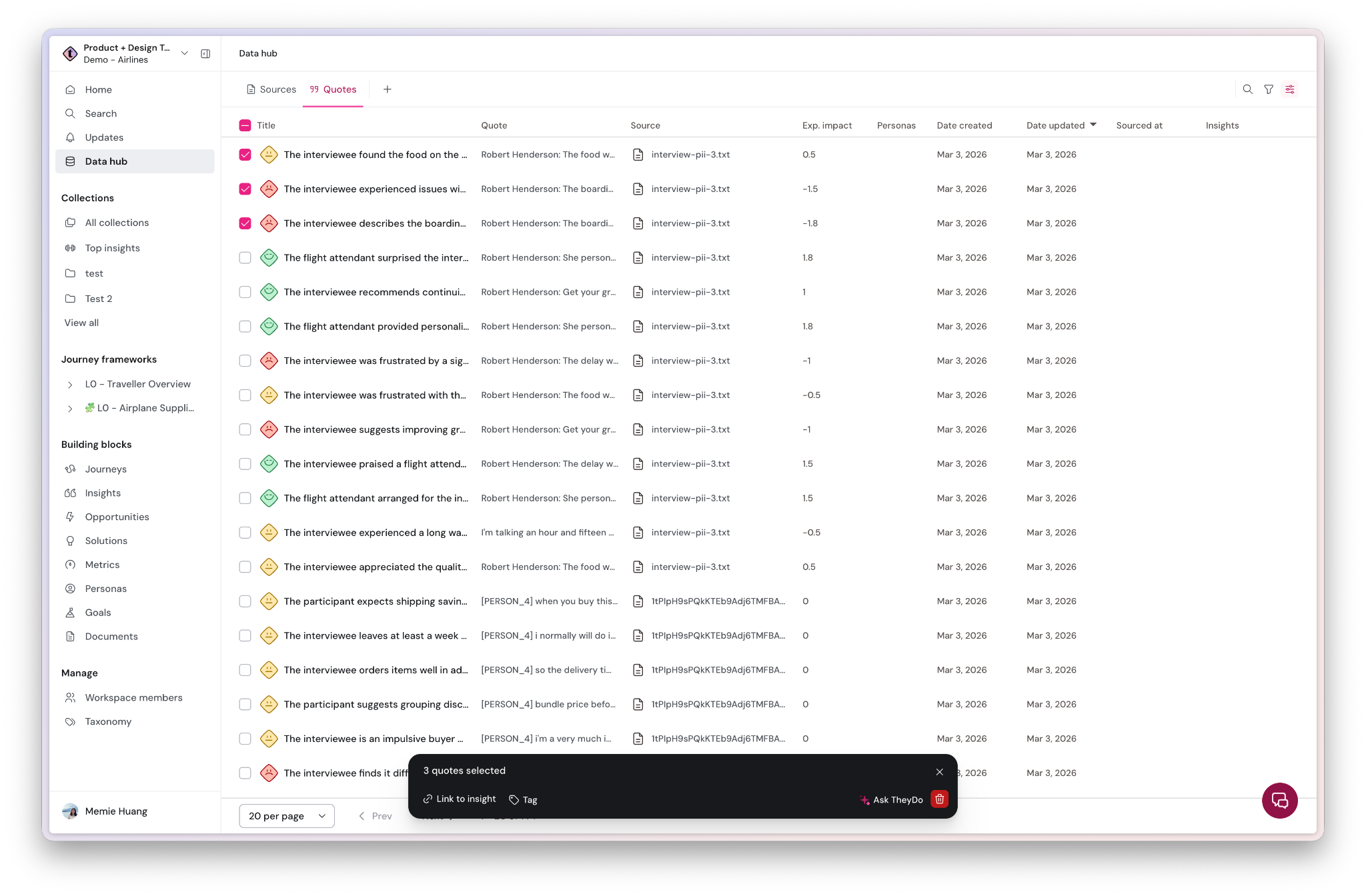
Quotes used to live in the shadows, attached to insights, invisible everywhere else.
Quotes library changes that: every quote in your workspace, in one place, with full filtering and bulk operations. Including the ones that aren't linked to anything yet.What's new
- Quotes library in Data Hub: browse all workspace quotes in a paginated, searchable view. Full-text search across quote content included.
- Filter for orphaned quotes: filter by "no linked insight" to instantly surface every quote that hasn't been connected to evidence yet. See the gaps in your data at a glance.
- Insight link visibility: each quote shows how many insights it's linked to, so you always know what's covered and what isn't.
- Bulk operations: select quotes in bulk to link, unlink, tag, or delete in one action. Fix orphaned data at scale, not one quote at a time.
- Tags, custom views, and sort options: add tags for manual categorization, save filtered views, and sort by date imported, link count, source, or tag.
How to access:
Data Hub → Quotes.