
{"time":1757499962424,"blocks":[{"id":"jIo5gJfe-U","type":"header","data":{"text":"Full page and block editing","level":2}}],"version":"2.26.5"}
{"time":1757499962424,"blocks":[{"id":"REt7oiNRgj","type":"image","data":{"file":{"url":"https://d34zu6t0zlvykw.cloudfront.net/post/full-page-block-editing.webp"},"caption":"","withBorder":false,"stretched":false,"withBackground":false}},{"id":"e2gueM-cLe","type":"header","data":{"text":"","level":1}},{"id":"ou46q0S9Cx","type":"paragraph","data":{"text":"Our new editor gives you full control. Now you can drag & drop blocks, add images within the description, style, and structure content just
What's new
Full page and block editing
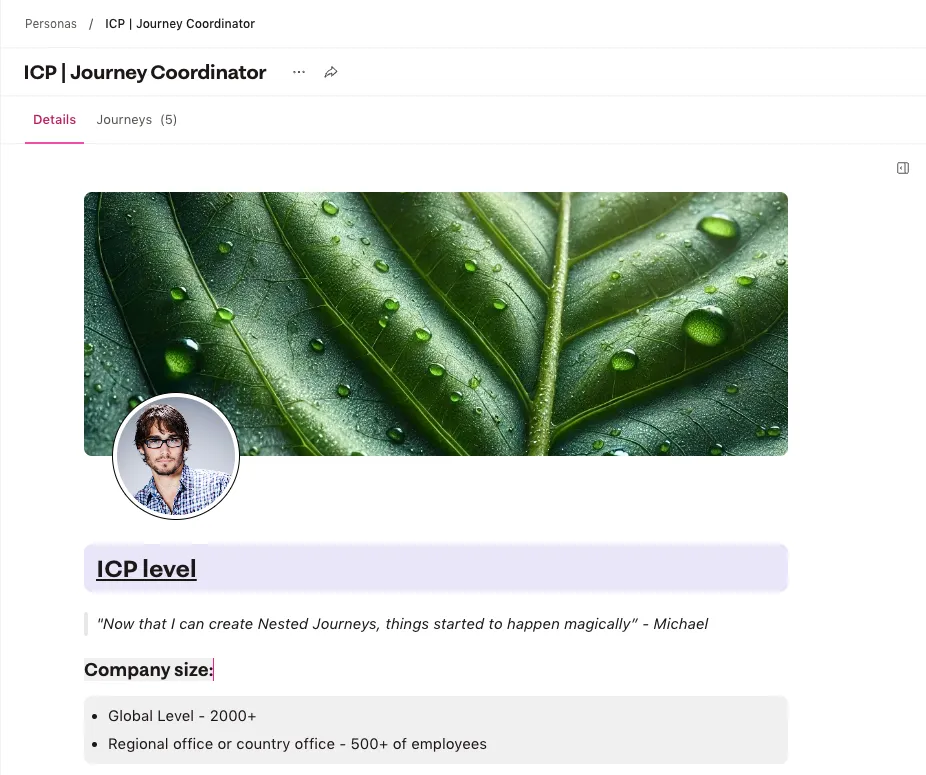
Our new editor gives you full control. Now you can drag & drop blocks, add images within the description, style, and structure content just like in Notion, across all building blocks.
Editor improvements — In addition to everything you could already do you can now also:
- Add images within the description
- Drag and drop blocks
- Background colors for blocks
- Turn blocks into other blocks (e.g. turn your paragraph into a codeblock)
- Use the bubble menu when you select a text and change for example, its type, style or add a link (and much more)
- Use block quotes
- Change the text color and more options for bg color
- Align text center or right or even justify
- Add code blocks
- And we implemented a typography plugin, automatically changing things like French quotes or an em-dash