
{"time":1774447084171,"blocks":[{"id":"jIo5gJfe-U","type":"header","data":{"text":"Save, share, and reuse journey views across layouts ","level":2}}],"version":"2.26.5"}
{"time":1774447084171,"blocks":[{"id":"j4xgh_Dtxh","type":"paragraph","data":{"text":"Saved views are now available across all journey layouts (map, table, matrix). Start from a template (executive view, opportunity prioritization, insight review, and more) or build your own. Filters, layouts, and configurations are saved and shareable via URL."}},{"id":"0_BEcbVZIq","type":"paragraph","data":{"text":"Create custom views — or start with our templates."}},{"id":"TLv8v4xXS7","type":"image","data":{
What's new
Save, share, and reuse journey views across layouts
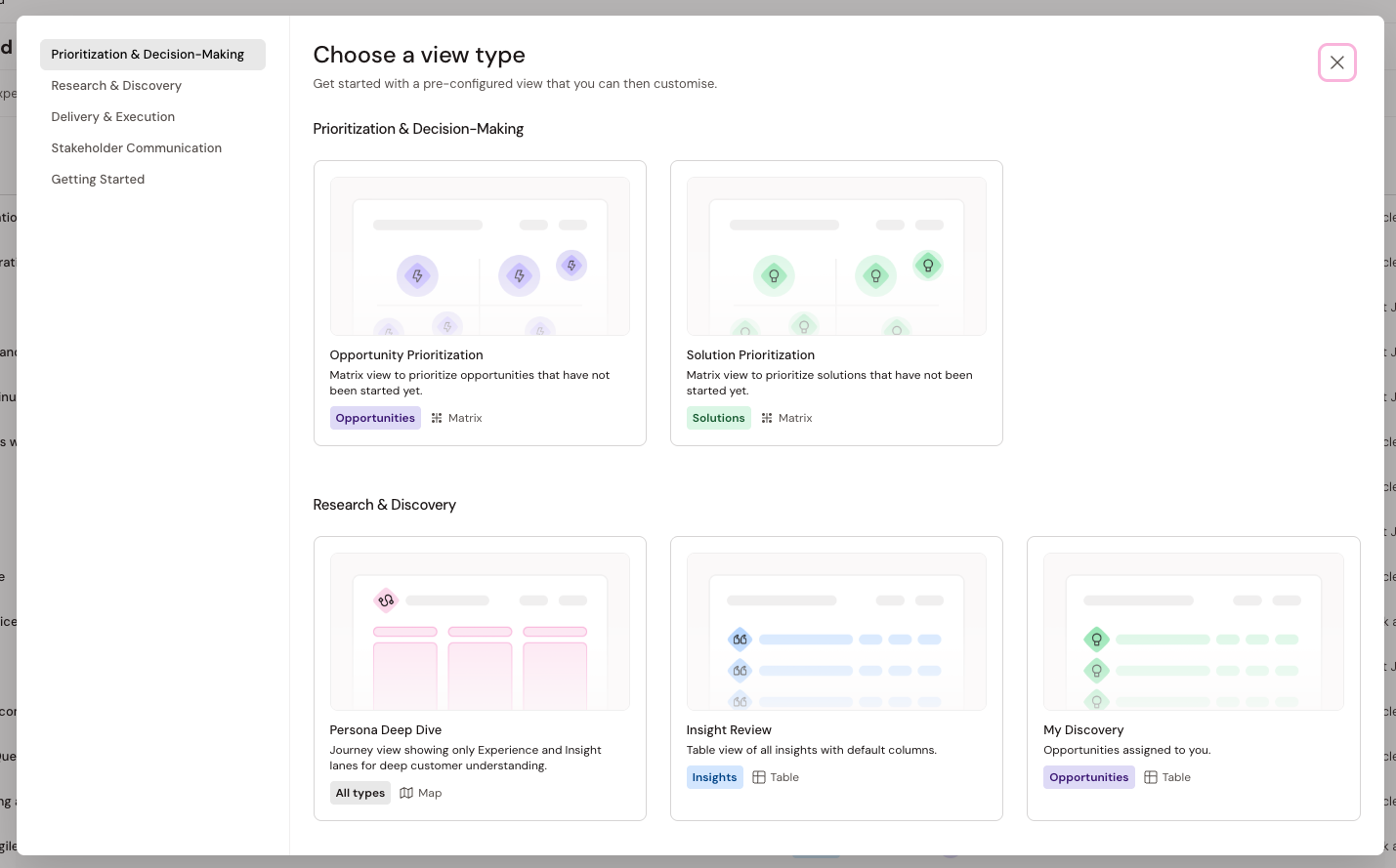
Saved views are now available across all journey layouts (map, table, matrix). Start from a template (executive view, opportunity prioritization, insight review, and more) or build your own. Filters, layouts, and configurations are saved and shareable via URL.
Create custom views — or start with our templates.
What's new
- Saved views now available for all journey layouts (map, table, matrix, pulse)
- View templates included: Executive View, Opportunity Prioritization, Solution Prioritization, Insight Review, and more — click + to explore
- Each view saves: filters, layout type, table columns, matrix axes/bubble config
- Share views via URL: recipients always see the latest version when you update
- Enhanced filtering across all views: type, status, owner, date created, tags/groups
- Persistent filter bar shows which filters are active
Impact
Stop rebuilding the same filter combinations every time you need them:
- No more scrolling through 150 metrics to find the 6 KPIs relevant to your work
- Prepare stakeholder presentations in 30 seconds — load "Executive View," adjust if needed, share the URL
- Learn what's possible through templates, then customize for your workflows
- Focus editing sessions by filtering to specific personas, stages, or building block types
Templates handle the common cases. Custom views handle your cases.
Try it
- Click the + next to your current view
- Start from a template or create from scratch
- Configure filters, layout, and columns
- Save and share the URL
Your existing journey views have been upgraded automatically — no changes to functionality.
Availability
- GA for all organizations
- Requires journey edit permissions to create views