
{"time":1774451711901,"blocks":[{"id":"jIo5gJfe-U","type":"header","data":{"text":"Solution scoring and custom formulas","level":2}}],"version":"2.26.5"}
{"time":1774451711901,"blocks":[{"id":"95lL4f0MTe","type":"paragraph","data":{"text":"Define custom scoring frameworks like RICE or Value/Effort, apply them across both opportunities and solutions, and visualize tradeoffs directly in the matrix. Your entire prioritization process lives in one place now."}},{"id":"gCWIe9gUbe","type":"image","data":{"file":{"url":"https://d34zu6t0zlvykw.cloudfront.net/post/solution-scoring-custom-formulas.png"},"caption":"","withBorder":false,"stretched":false,"wi
What's new
Solution scoring and custom formulas
Define custom scoring frameworks like RICE or Value/Effort, apply them across both opportunities and solutions, and visualize tradeoffs directly in the matrix. Your entire prioritization process lives in one place now.
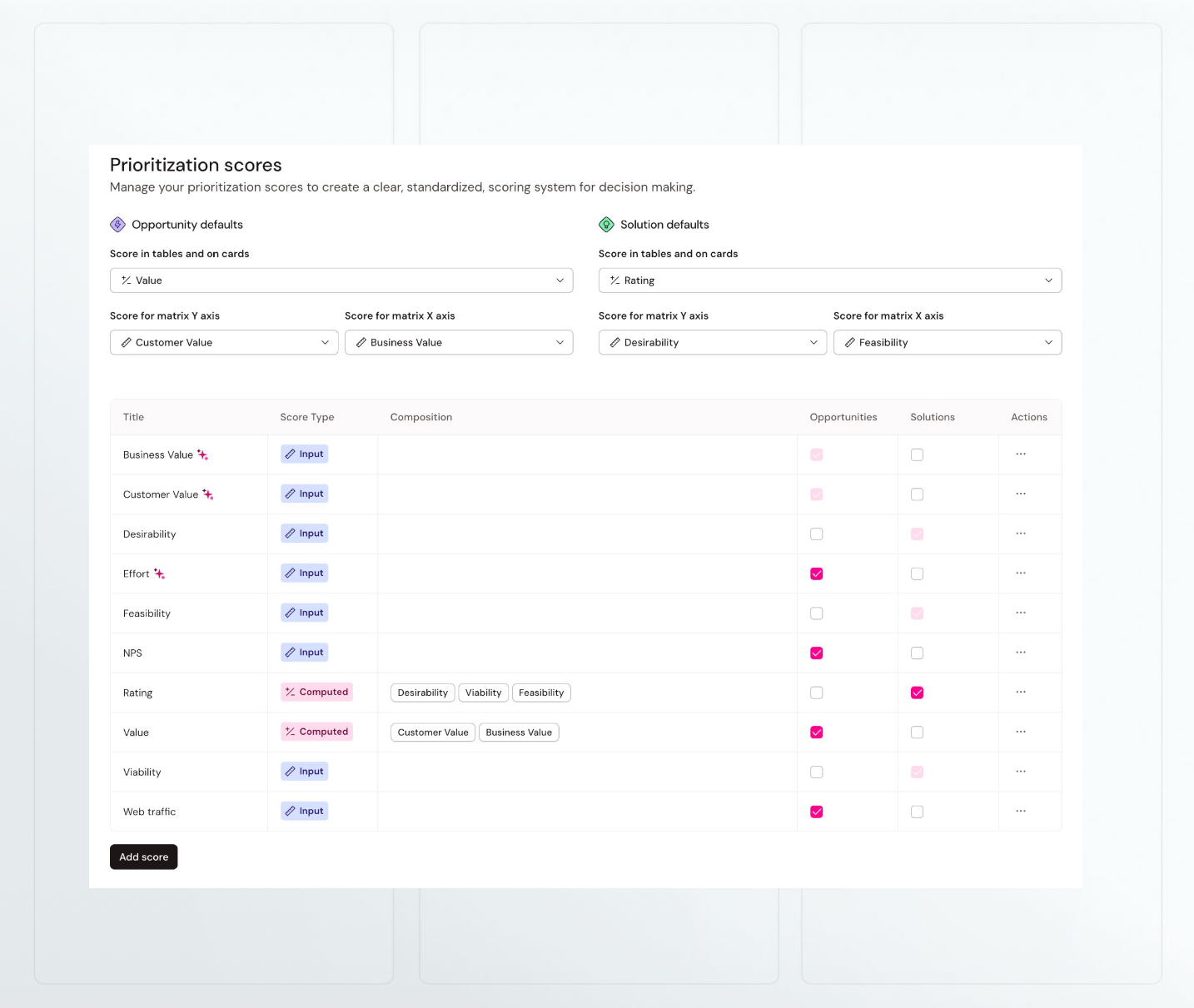
Prioritization scoring just got a major upgrade. Define custom formulas like RICE or Value/Effort, apply them across both opportunities and solutions, and visualize everything in the matrix.
What's new
- Scoring for solutions: Solutions now support the same custom scoring frameworks as opportunities. Use the same framework across both for consistency, or create separate ones.
- Solution matrix: Plot solutions on any two scoring axes to visualize trade-offs and spot quick wins vs. long-term bets.
- Formula-based computed scores: Write custom formulas using any mathematical expression — multiply, divide, nest other scores as variables. Implement RICE, WSJF, or whatever framework your team uses, exactly as intended.
- Arbitrary value boundaries: Choose whether scores use a fixed scale (1-5, 0-100) or accept any numeric value — so RICE scores can naturally range into the hundreds or thousands.
- Fixed circle size in matrix: Choose to fix circle size in the opportunity or solution matrix instead of tying it to linked steps.
Impact
- No more approximating frameworks with weighted averages — calculate RICE, WSJF, or custom logic exactly as designed.
- No more exporting to spreadsheets to prioritize solutions — it all lives in TheyDo now.
How to access
Go to Settings > Prioritization scores to create input scores, weighted averages, or formula-based computed scores. Then score your opportunities or solutions and head to the matrix view.